

Life Hacks for Polymaths

Wisdom, Knowledge, Adventure, hacks for polymaths ... Life

  • Facebook
  • Instagram
  • LinkedIn
  • Pinterest
  • YouTube

Welcome polymaths !

Ever get the feeling that you seem to don't know what to do with your life because there are just so many things that you want to do ? I know, I've been there, so welcome to the club.

My name is Zigfred Diaz and I am a polymath. After more than 6 years of bloging about almost anything under the sun and having sort of a "blogging identity crisis." I've finally embraced who I am and decided to turn my main blog into some sort of guide for people with so much interest. Feel free to poke around.

Powered by Genesis

  • Home
  • About
  • Privacy Policy
  • Archives
  • Categories
    • Book reviews
    • Life Hack for Polymaths
      • Featured Polymaths
      • Life-work Balance
      • Productivity
      • Miscellaneous Ramblings
      • My Life long learnings experiences
    • Business, Entrepreneurship & Leadership
    • Events
    • Financial management & investments
    • Fraud alert
    • Health
    • Hot trends
    • Law, Law Practice, Law Education
    • Making money online, Blogging, SEO
    • Music
    • Politics, Social issues & Current events
    • Reviews
    • Sports
    • Technology
      • Word Press tips
    • Theology, Faith & inspirational
    • Travel and Living
    • Cognitive Archeology
    • Social Work
    • Theology
    • Uncategorized
  • Contact

How to add a giant RSS button in your header

January 24, 2008 by Zigfred Diaz 4 Comments

The thing about deciding to stick it out with a theme is that you get to learn a lot. You are forced to study in order to tweak the theme. One of the things that I’ve always wanted to accomplish is putting a big RSS button in my header. Sure you can have the default […]

Filed Under: Word Press tips Tagged With: Add a big RSS button to your word press theme, BLOGGER PRO theme, Giant RSS button, RSS button, word press hacks, Word Press tips

How to display ads in your header and footer

January 10, 2008 by Zigfred Diaz 5 Comments

I’ve been using the BLOGGER PRO word press theme by Design Disease for using this theme hehehehe:-)) for more than a month now and I love the theme. However I wanted to accomplish some stuff that I see are done by other bloggers on their site using the same theme as I have. In order to […]

Filed Under: Word Press tips Tagged With: blogging pro theme, Display google ads on your footer, Display Google ads on your header, word press hacks, Word Press tips

A new way to place a non-obtrusive ad in a blog
January 7, 2008 by Zigfred Diaz Leave a Comment

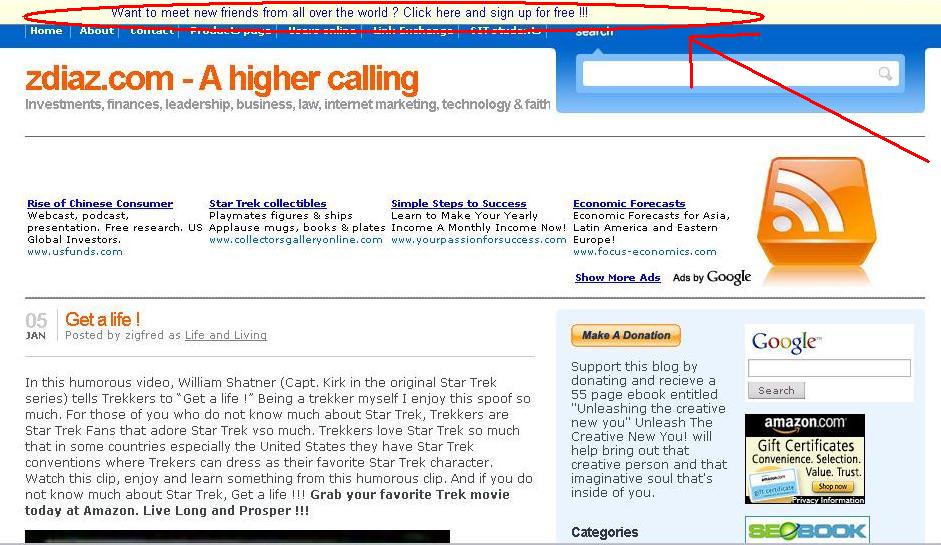
There are three forces that are constantly struggling to dictate how a blogger will design his blog or website. Those three are ads, rich user experience and search engine optimization. Those three are always at war with each other and it is up to the blogger to maintain a balance between them. Some blogs have […]

Filed Under: Word Press tips Tagged With: ads, MaxBlogPress Stripe Ad, non-obtrusive ad, Word Press help, word press helps, Word Press tips

How to make your Word Press pages appear in the order you want them to

November 25, 2007 by Zigfred Diaz 1 Comment

In my last post I discussed how to create a “Home” button that redirects to your post page. Since I created my home button after I created my other pages my dilemma now is that my home button appears after the other pages. In the current version of Word Press (version 2.3.1) there is no […]

Filed Under: Word Press tips Tagged With: how to order your pages, Word Press help, Word Press tips

How to add a “home” button that redirects to your post page in Word Press.

November 25, 2007 by Zigfred Diaz Leave a Comment

I do not claim to be a Word Press Expert, I am just posting my experiences here in order to help other people who are trying to find solutions or work around on things they would like to achieve on Word press that the standard Word press package does not provide. I am using a […]

Filed Under: Word Press tips Tagged With: add a home button that redirects to your post page, blogging pro theme, Word Press help, Word Press tips