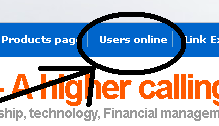
An important thing to know if your blog is getting traffic is to know how many users are reading your blog at a certain time during a day. It is quite exciting to know how many numbers of users you have at a certain time browsing through your blog. It just shows that your blog content is interesting. The solution to that is a plugin called “WP UserOnline 2.20” If you want to know what the effects of this plugin looks like, check out this blog. There is a page called “Users Online.” (See image at the left) You can also see that at the left side bar there is a link called “Users Online.” (See mage at the right) This link at the front of your blog tells you instantly how many users are there. Once clicked it will bring you to the “Users online page” wherein the details as to who are online is shown. (Click image at the left to enlarge) Details include who are online, (Guest, administrators and bots) the date and time, what are they looking at and their I.P addresses. … [Read more...]

Wisdom, Knowledge, Adventure, hacks for polymaths ... Life
Welcome polymaths !
Ever get the feeling that you seem to don't know what to do with your life because there are just so many things that you want to do ? I know, I've been there, so welcome to the club.
My name is Zigfred Diaz and I am a polymath. After more than 6 years of bloging about almost anything under the sun and having sort of a "blogging identity crisis." I've finally embraced who I am and decided to turn my main blog into some sort of guide for people with so much interest. Feel free to poke around.