
An important thing to know if your blog is getting traffic is to know how many users are reading your blog at a certain time during a day.
It is quite exciting to know how many numbers of users you have at a certain time browsing through your blog. It just shows that your blog content is interesting. The solution to that is a plugin called “WP UserOnline 2.20”
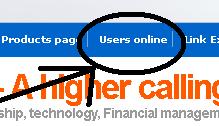
If you want to know what the effects of this plugin looks like, check out this blog. There is a page called “Users Online.” (See image at the left)
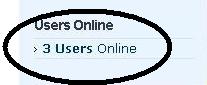
You can also see that at the left side bar there is a link called “Users Online.” (See mage at the right) This link at the front of your blog tells you instantly how many users are there.
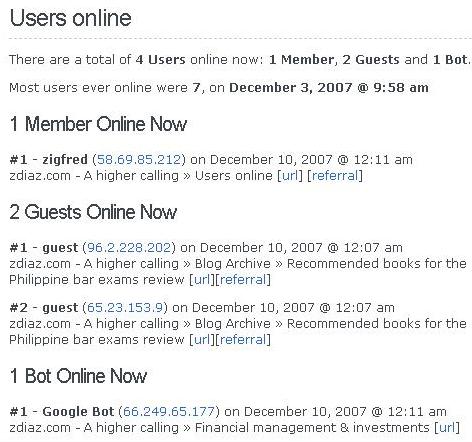 Once clicked it will bring you to the “Users online page” wherein the details as to who are online is shown. (Click image at the left to enlarge) Details include who are online, (Guest, administrators and bots) the date and time, what are they looking at and their I.P addresses. It will also tell you the “Most users ever online” and what date and time did it occur.
In order to go about this you need to install the WP-UserOnline 2.20 widget and follow the steps below. The instructions here are for users of Word Press 2.3 hosted by a hosting company.
I – Preliminary steps
1.) Do a google search for “WP-UserOnline 2.20” and download the file.
2.) Extract the file and copy the folder “user online” to your host specifically in the folder wp-content/plugins Folder
3.) Activate WP-UserOnline Plugin by going to your Word Press administration console > Plugins > Activate
II – Putting “Users Online” in your side bar
1.) Go to ‘WP-Admin -> Presentation -> Widgets’
2.) Drag the UserOnline Widget to your sidebar
3.) Configure the UserOnline Widget if you like by clicking on the configure icon
4.) Click ‘Save changes’
III – Making a “Users online page”
1.) Go to ‘WP-Admin -> Write -> Write Page’
2.) Type “Users online” or any title you like in the post’s title area
3.) Type [“page_useronline”] in the post’s content area (without the quotes”” however enclose with the [ ])
4.) Type “useronline” in the post’s slug area (without the quotes)
5.) Click ‘Publish’
See how easy this is ? For more information check out the publisher’s plugin site. WP UserOnline 2.20 is created by Lester Chan.

Leave a Reply